1 (edited by plan-stan 2026-10-30 12:14:30)

Topic: Ghostbay - Plug-in Host for TotalMix FX 2.1

Hello everyone, happy Halloween.
Ghostbay

You’ve got one of the best interfaces made, and you still open a DAW just to hear a compressor on your bass.

No longer needed with OSC and Ghostbay, an AU Plug-in host for TotalMix 2.1 on Mac.
It lives in your menu bar, it auto routes TotalMix through OSC.
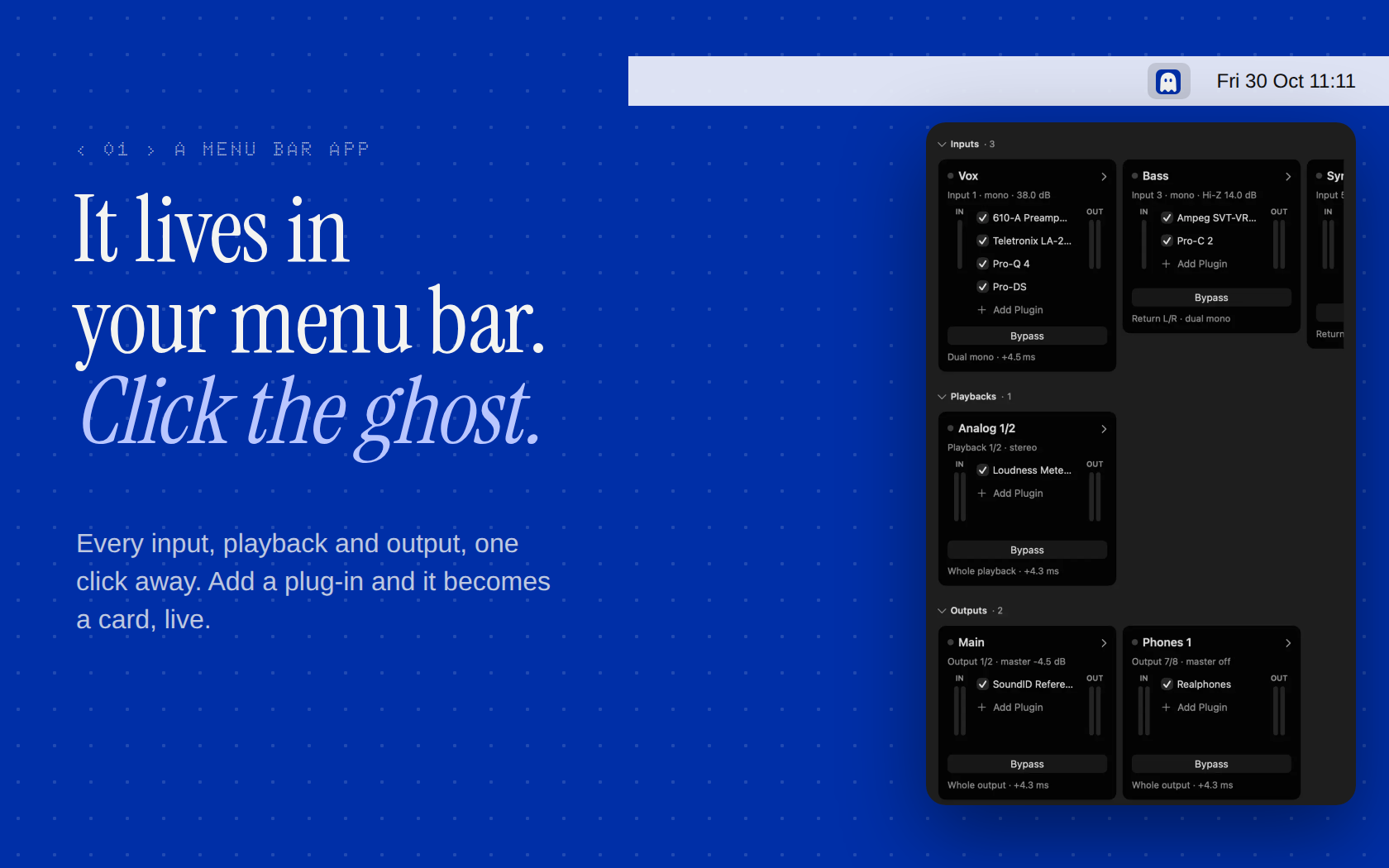
It lives in your menu bar

It haunts your menu bar yikes

Good to know:
• RME not involved in this one, Ghostbay is mine, TotalMix is theirs.
• It has a fraction of latency - made for monitoring, not recording
• It's MAC and AU only - beta stage
Specs:
• macOS 14+
• Totalmix FX 2.1
• Apple signed and notarised
• Free during beta
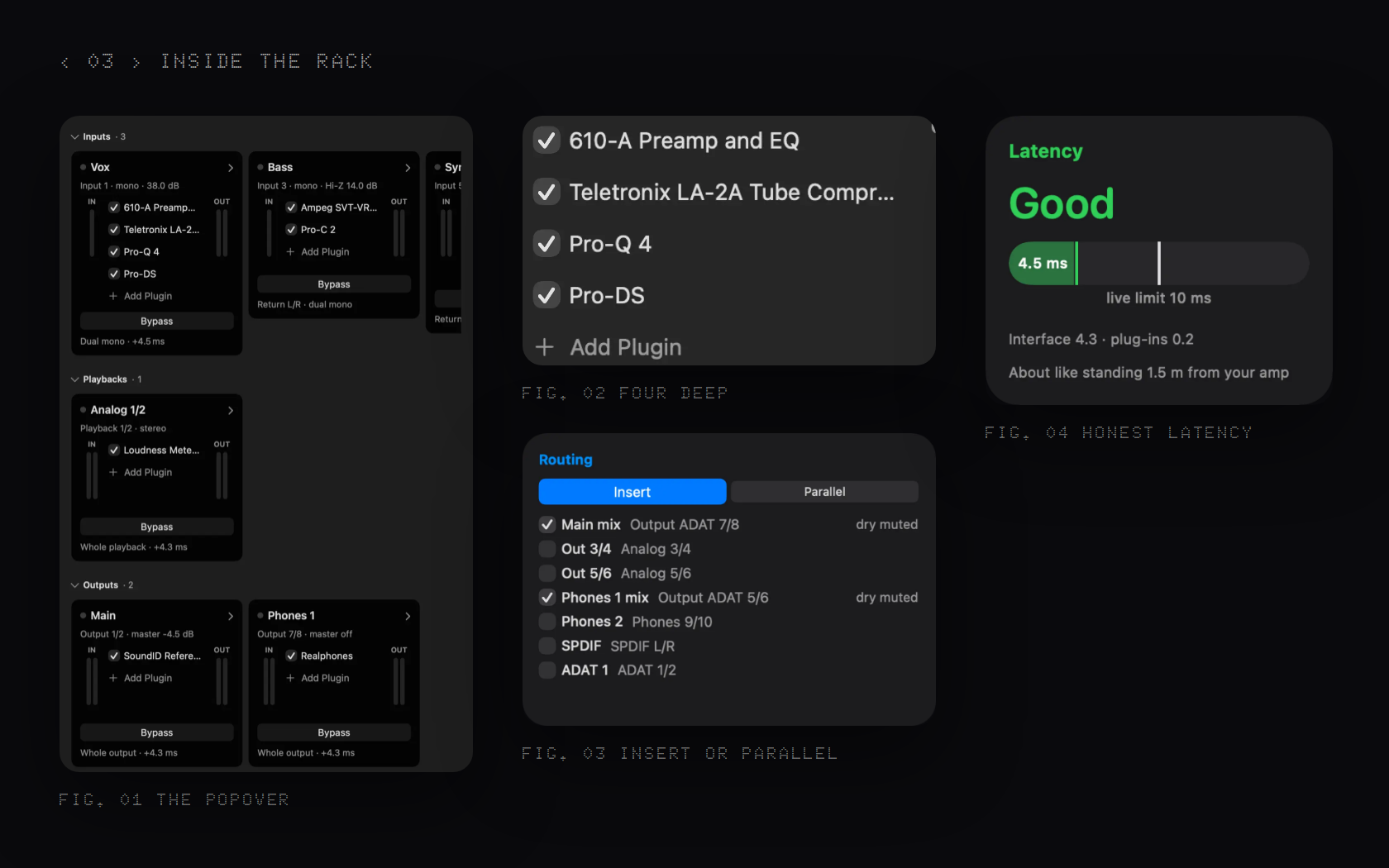
Inside the rack

Would it be crazy to try it on your own rig for a week? 30 seats (testers get to keep it)

--
https://ghostbay.app

Re: Ghostbay - Plug-in Host for TotalMix FX 2.1

A few questions came up elsewhere, so here they are in one place.

1. What is it, in one line?
A plug-in sketch pad for RME on the Mac.

2. Isn’t this just AU Lab with loopback?
Yes, plus the TotalMix side. AU Lab can’t talk to TotalMix, so you route by hand.

3. Why not just use a DAW?
For recording and writing, use the DAW.
This is for when you don’t want a session:
Realphones on the headphones bus;
quick guitar chains;
dialling in new hardware with plug-ins around it.

4. Latency?
About 4.3 ms on a channel with plug-ins: the round trip reported by Core Audio at 48 kHz / 64 samples on a UCX II.
Plug-in latency adds on top, and the app shows the total.

5. What does it change in TotalMix, and what if it crashes?
It only touches its own channels and names, and undoes them when you remove the plug-ins.
It never touches the driver or the firmware.

--
https://ghostbay.app